Charging
How to find accessible EV charging that works for you
Find usable UK public EV charging, check bay and cable access, confirm hands-on assistance and plan a practical backup stop.
“How do I find a public charger I can actually use?” UK owners have asked this because a location pin does not describe transfer space, a heavy cable or a reachable payment terminal. Start with a specific site and a confirmed assistance route where needed, then check the whole stop.
EVDeal UK owner guidance · checked 17 October 2026. This is a planning checklist, not an accessibility certification or a directory of inspected sites. Requirements differ between people, vehicles and equipment. Nobody should have to lift, reach or transfer in a way that feels unsafe just to test a charger.
A practical route you can use now
- Find a candidate using the operator’s own location map. For example, GRIDSERVE lists its Electric Forecourts and separate retail opening hours. Do not assume an Electric Hub at a motorway service area has the same staffed facilities.
- If you need hands-on charging help, GRIDSERVE’s published Forecourt assistance route uses fuelService: select the particular Forecourt in that app, which asks the onsite team whether assistance is available.
- Wait for confirmation before relying on the help. On arrival, notify the app; it provides an estimated wait for assistance. Check the site’s retail hours, because onsite support and a 24-hour telephone helpline are different things.
- Check the bay and facilities against your own needs below, then identify a second usable location. This is one documented assistance route, not an endorsement or a claim that every network/site offers it.
Start with the whole stop
Motability Foundation’s research identifies barriers including cable weight, connection force, kerbs and parking layout. The accessible-charging work it co-sponsored with OZEV led to PAS 1899 and Designability’s practical guidance. These sources explain why a charger’s power rating or an “accessible” label alone cannot answer every journey question.
For a real trip, split the stop into three parts: arrive and position the car; connect and pay; reach the facilities and return. A good answer for one part does not establish the others. An accessible toilet in a building does not prove there is a usable route from the charging bay.
1. Match the bay to your vehicle and exit space
- Which side and end of your car has the charge port? Can the car park in the permitted direction with that port close enough to the charger?
- Where do you need door-opening or transfer space, and is it separate from the traffic lane and the neighbouring bay?
- Is a ramp, hoist or mobility aid part of the journey? Include its operating space, not just the vehicle width.
- Do bollards, wheel stops, kerbs or a raised plinth interrupt the route from your door to the controls?
Ask for recent photographs of the specific bay, taken from both sides and showing its surroundings. A close-up of the charger screen misses most of these questions. Keep images free of other visitors’ faces or registration details when sharing publicly.
2. Treat the cable as a separate check
A tethered rapid-charging cable may have enough length but still require an awkward lift or reach. Ask whether there is cable support and whether the connector can reach your port from the intended parking position without stretching across the space you need to move through.
Do not plan to park across multiple bays, leave the cable taut or improvise an extension. If you cannot safely manage the connector, a successful session by a different driver is not proof that the stop will work for you. Identify another usable site or a specifically confirmed assistance arrangement before relying on it.
3. Check the interface and payment route
Find out whether the display and payment terminal are reachable and readable from your normal position. Consider glare, contrast, touchscreen operation, instructions, lighting and whether a smartphone is required for the particular payment method you intend to use. Do not confuse a charger accepting contactless payment with the whole physical interface being accessible.
Ask how to start and stop that exact unit and retrieve a receipt. If an app is your chosen method, prepare it before travelling and keep an alternative where the operator offers one. A helpline number is useful, but a promise of telephone help does not remove a kerb or make a heavy cable manageable.
4. Include the facilities and opening hours
Check the route to toilets, seating and shelter as well as the charger. Are there dropped kerbs and an unobstructed path? Are gates, barriers or buildings open at the time you expect to arrive? Can you get back to the car without crossing a cable, narrow gap or fast traffic? A site being “24-hour charging” does not prove its facilities are open all night.
Keep the operator’s charger information separate from the landowner’s parking rules. Ask about time limits and how charging and parking payments interact, especially if transferring or getting assistance makes the stop longer.
A message you can copy to the operator
I’m planning to use [site and charger/bay ID] at [time]. My vehicle’s charge port is [position]. I need [door/transfer/step-free space or other practical requirement]. Please confirm the bay layout, cable reach/support, controls/payment access, route to facilities, opening hours and any parking time limit. Recent photos of that exact bay would help. Is assistance actually available at that time, and how is it arranged?
Share the functional requirement you want checked; you do not need to post a medical history or identity documents in a public group. Keep the answer and its date. Mark “not confirmed” where no one has answered, rather than treating silence as a yes.
Make the backup genuinely independent
Choose a second site that also meets your access needs and is reachable with your planned energy reserve. Another connector on the same blocked forecourt is a weak backup. Recheck live availability and known restrictions shortly before departure; historic photos describe layout, not today’s bay occupancy or service status.
If the site is unusable on arrival, keep clear of traffic and use the backup while you still have sufficient energy. Do not wait until the battery is nearly empty to investigate whether a second stop is reachable. For a stranded vehicle, use the appropriate breakdown route rather than attempting unsafe cable handling.
Report the barrier so it can be acted on
Record the site, charger ID, date, the particular barrier and the task it prevented: for example, “bollard gap blocked the route from the driver’s door”, rather than only “not accessible”. Send that to the operator and, if relevant, the site manager. Ask for a reference and a stated next action. A fault report and a public owner review serve different purposes; remove personal details from anything published.
What PAS 1899 tells you—and what to ask
BSI’s PAS 1899 information describes the accessible-charging specification. When a site makes a compliance claim, ask which edition and assessment it refers to, which bays were assessed and whether the claim covers the surrounding layout. This guide does not award a badge or infer compliance from photographs.
Sources and the right next publication
The public UK owner question behind this guide asked how to locate accessible chargepoints. Replies identified missing layout information and handling difficulties. We have not adopted individual statistics or assumed a past app filter still exists.
Motability Foundation: accessible public charging · Designability: practical design guidance · BSI: PAS 1899. The three-part stop check, operator message and evidence record are EVDeal’s editorial synthesis of these barriers.
Use MyBYD, MyXPENG or MyMGEV for the vehicle’s charging controls; use EVDeal for the costs. EVDeal helps you compare charging costs alongside the practical needs of your journey.
PRACTICAL NEXT STEP · EVDeal
Turn the answer into a decision.
Applies to: UK charging-access planning; operator assistance, bay layout and cable reach must be confirmed for the actual stop.
Evidence checked · Review due
Review is due. Recheck the primary source and your exact version before relying on changing details.
First useful check
Check the individual bay and vehicle charge-port position, assistance process and a workable backup before travelling.
Read the result
A charger marked accessible in a directory is not confirmation that its cable/bay works for you or assistance is available then.
Stop or change approach: Do not rely on an unconfirmed stop with no reserve/backup; never handle damaged charging equipment.
Prepare a useful record
Site/bay, charge-port side, cable reach, access requirement and operator confirmation without medical details.
Keep registration, VIN, account numbers and personal addresses out of this note. Nothing typed here is sent to us or saved automatically. Copy it before leaving the page.
Evidence and answer standard
Documented checks; outcome depends on the test. The date records an evidence review, not a physical test of your car. A forum report can identify a question; it cannot establish a universal repair.
How EVDeal checks owner guidance →Did this guide move you forward?
Count a helpful answer or flag a gap. This is editorial feedback, not a repair diagnosis or a request for a personal reply.
What this sends
Only this guide ID, revision, selected category and vote are counted. No notes, name, search text or IP address are stored in the feedback database. Standard hosting logs still apply. Counts are votes, not unique owners or verified faults.
Savings paths
Related EV savings categories
Explore practical guides and information for charging, accessories and other EV ownership costs.
Continue exploring
More useful EV guides
Smart charging, peak-rate bill? Check one session properly
17 Oct 2026 Read guide →Returning an EV: missing cables, mileage and damage charges
17 Oct 2026 Read guide →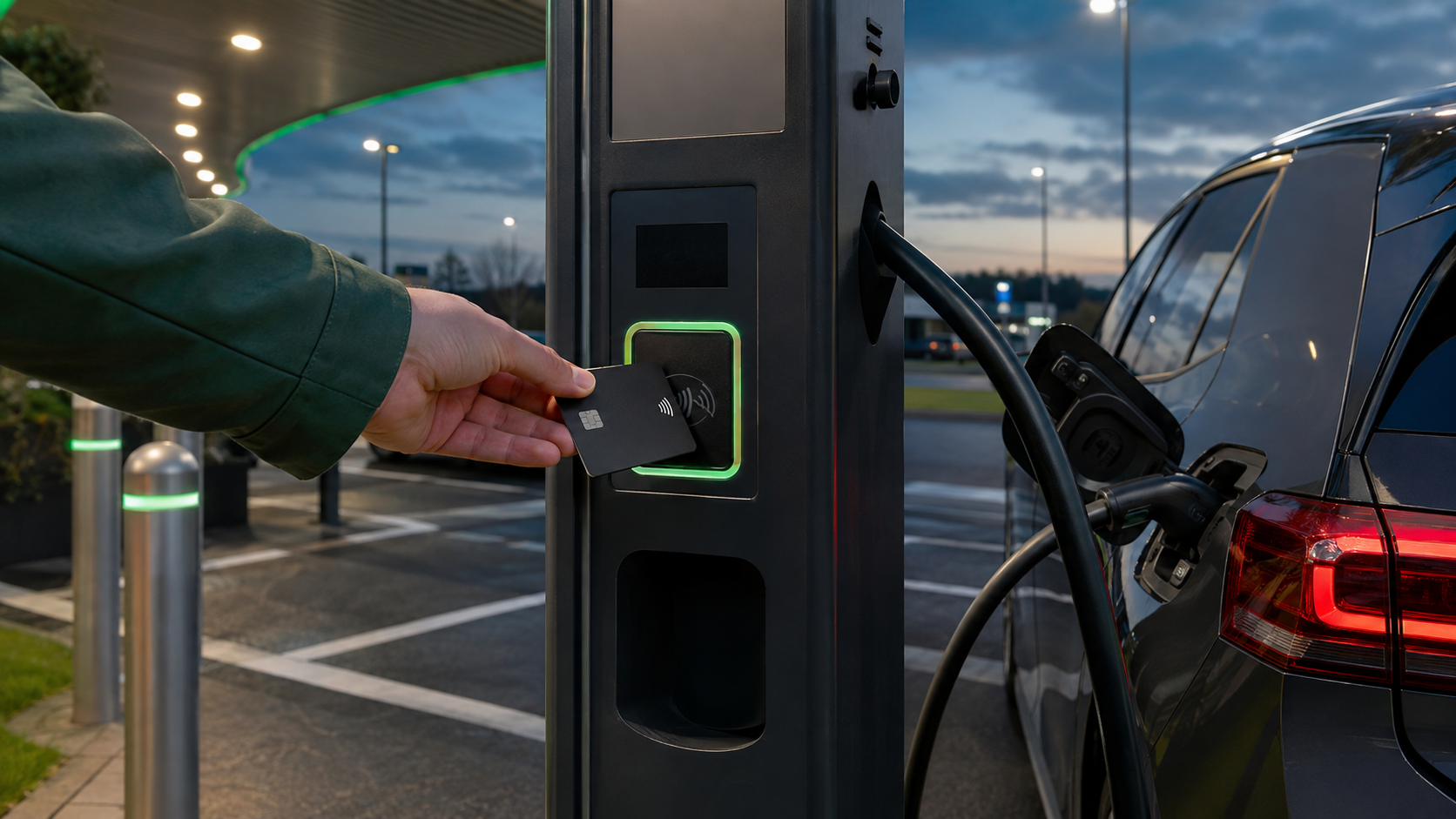 Charging
Discussion
Comments
Comments are manually reviewed before publication to keep EVDeal useful and spam-free.